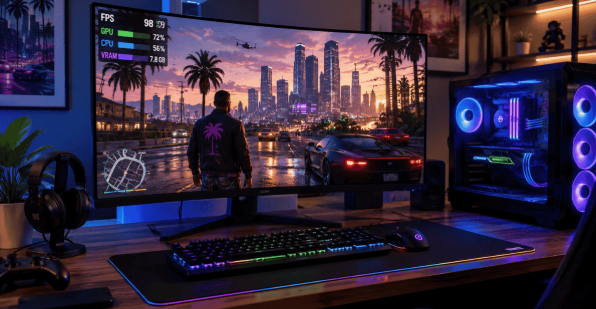
GTA 6 is the next big title in the Grand Theft Auto series. It is an open world action game developed by Rockstar Games. Players expect a huge map with advanced gameplay systems. Grand Theft Auto 6 hype is growing fast among gamers worldwide. People are excited about its heavy graphics and new engine. Performance will depend on CPU, GPU, VRAM, and ray tracing. A high frame rate will matter for smooth gameplay and better control. Settings like resolution and ray tracing will affect performance. A strong system is needed to handle modern gaming demands.
GTA 6 Release Date: Console First, PC Later
Rockstar has confirmed GTA 6 for PlayStation 5 and Xbox Series X|S on November 19, 2026. Take-Two has reaffirmed this date multiple times, and pre-orders are already open.
A PC release date has not been announced. Based on Rockstar's history, GTA 5 took about 18 months to reach PC after its console launch, and Red Dead Redemption 2 took about 13 months. Most analysts expect the GTA 6 PC version sometime in late 2027 or 2028.
This gap is exactly why every FPS benchmark, system requirement, and GPU recommendation in this article is an estimate. Official PC specs will only appear once Rockstar confirms the PC release window.
For the latest official GTA 6 announcements and updates, check the Rockstar Games website.
GTA 6 Expected System Requirements
GTA 6 expected system requirements are given below:
Minimum Requirements
To run open-world games at a basic level, players may need GTA 6 minimum requirements with entry-level hardware. A decent CPU GPU balance and enough VRAM are important for smooth low settings gameplay.
Recommended Requirements
For smooth gameplay, this game's recommended requirements will likely include a strong mid to high-end setup. A balanced CPU and GPU performance with enough VRAM helps maintain a stable frame rate in detailed open-world environments.
Will 8GB VRAM Be Enough for GTA 6?
8GB VRAM may struggle in Grand Theft Auto 6 due to the VRAM trap effect. High textures and open world streaming can cause stutters and lower frame rate.
Estimated GTA 6 FPS Benchmarks
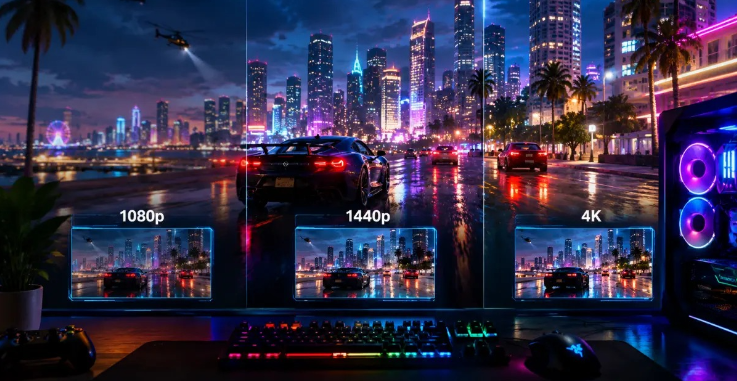
GTA 6 FPS at 1080p
At 1080p, GTA 6 FPS will likely depend on your CPU, GPU, and settings.
You can also use an FPS Calculator to estimate expected gaming performance based on your hardware.
Mid-range PCs may achieve smooth performance with balanced graphics and stable frame pacing.
GTA 6 FPS at 1440p
At 1440p, GTA 6 FPS benchmarks will need stronger GPU performance and more VRAM usage. Mid to high-end systems may run stable FPS with upscaling support like DLSS or FSR.
GTA 6 FPS at 4K
| GPU | 1080p | 1440p | 4K |
|---|---|---|---|
| RTX 4090 | 120 | 90 | 60 |
| RTX 4080 | 100 | 75 | 50 |
| RTX 4070 Ti | 85 | 65 | 40 |
| RTX 4060 | 60 | 45 | 30 |
Best GPUs for GTA 6
Budget GPUs
For budget GPUs, players can choose affordable cards like the RTX 4060 or RX 7600 for smooth 1080p gaming. These GPUs offer solid 1080p FPS performance and balanced VRAM usage for modern open-world graphics.
Mid-Range GPUs
For mid-range GPUs, cards like the RTX 4060 and RX 7600 are strong choices for smooth 1080p and 1440p gaming. These GPUs offer balanced GPU performance and stable FPS in most modern open-world games.
High-End GPUs
For high-end GPUs, cards like the RTX 4080 and RTX 4090 deliver top-level performance. They handle 4K gaming, heavy ray tracing, and high VRAM usage with smooth, stable frame rates.
Will Grand Theft Auto 6 Be CPU or GPU Intensive?
CPU Bottleneck Explained
In GTA 6, smoothness drops when the processor cannot handle heavy CPU load from AI and physics, a problem known as CPU bottleneck. Even a strong GPU may stay underused.
Why Open World Games Need Strong CPUs
Open world games like GTA 6 rely heavily on CPU processing power because the system controls AI behavior, traffic flow, and physics. A strong processor reduces CPU bottleneck and keeps gameplay smooth in busy areas.
Best CPUs for GTA 6
For GTA 6, the best CPUs, like the Ryzen 7 and Intel i7, deliver strong CPU performance and reduce CPU bottleneck for smooth open-world gameplay.
How Ray Tracing Could Affect GTA 6 FPS
RTX in GTA 6 would have a massive effect on GTA 6 FPS because it will add more realistic lighting, shadow, and reflection in real-time. This means that the GPU performance will be overloaded while VRAM consumption will increase as well. This is true even for high-end computers, where the FPS might drop once RTX is enabled.
Can GTA 6 Run at 60 FPS?
Whether GTA 6 can hold a stable 60 FPS will depend on your hardware and settings. Advanced computers with high-quality GPUs, along with efficient CPU and VRAM usage, may deliver stable 60 FPS at 1080p or 1440p. However, features like ray tracing and ultra settings may lower the frame rate.
30 FPS vs 60 FPS Experience
At 30 FPS, GTA 6 will feel more cinematic but less smooth during fast action. GTA 6 FPS performance may show slight input delay, especially in driving or combat, where quick reactions depend on stable frame timing.
At 60 FPS, gameplay feels much smoother and more responsive. Better GPU performance and optimized settings improve motion clarity. This helps players enjoy faster control, stable aiming, and a more fluid open world experience.
Why Console FPS Is a Big Debate
Console FPS is a hot debate for GTA 6. Discussions focus on locked 30 FPS limits, differences in GPU performance between consoles, and expectations for a smoother 60 FPS mode on next-gen hardware.
Will GTA 6 Reach 120 FPS on PC?
Running GTA 6 at 120 FPS on PC is going to demand exceptional GPU power and CPU efficiency. High-end hardware setups with optimal settings and minimized VRAM utilization might be able to achieve stable 120 FPS.
Why Your GTA 6 FPS Might Be Lower Than Expected
Outdated GPU Drivers
Outdated GPU drivers can reduce GTA 6 FPS performance because they limit optimization for new game engines. This may cause lower frame rates, stuttering, and poor stability even on strong hardware, so regular updates are essential for smooth gameplay.
Background Applications
Background applications can reduce Grand Theft Auto 6 FPS performance by using extra CPU and RAM usage. This lowers GPU efficiency and causes sudden FPS drops during gameplay.
Insufficient RAM
Insufficient RAM can hurt GTA 6 performance because the system struggles to load game assets smoothly. This increases CPU and VRAM usage, causing stutters, delays, and lower frame stability, especially in crowded open-world areas.
CPU Thermal Throttling
CPU thermal throttling can reduce GTA 6 FPS performance when the processor overheats and slows down. This increases CPU bottleneck issues and lowers overall game stability, especially during heavy open world gameplay.
Best Settings for High Frame Rate
Optimizing GTA 6 settings is crucial for achieving high frame rates and smooth gameplay. Adjusting resolution, ray tracing, and texture quality can help balance visual fidelity with performance. Lowering settings like shadows, reflections, and crowd density can reduce CPU bottleneck and improve GPU efficiency, resulting in better FPS. Additionally, enabling performance features like DLSS or FSR can further boost frame rates while maintaining decent graphics quality.
Settings need optimizing to boost GTA 6 FPS performance on most computers. If the GPU does not work at its best capacity, it would be wise to lower the resolution. This ensures a balanced workload for the GPU and CPU while still offering good graphics and gameplay. Fine-tuning graphics settings also helps boost stability. For instance, minimizing ray tracing lowers VRAM usage, which boosts FPS. Reducing shadows, reflections, and crowd density also decreases CPU bottleneck, improving overall performance.
Finally, using performance features will further improve GTA 6's frame rate. Tools such as DLSS or FSR can boost FPS while keeping decent graphics quality. Closing other background applications also helps with optimization.
Performance Tiers Explained
Performance tiers explain how different systems handle GTA 6 FPS. Low-end PCs may struggle with heavy GPU demands and require reduced settings for playable frame rates. Mid-range systems offer balanced 1080p gameplay with stable performance in most scenes.
High-end and ultra PCs deliver smooth results with strong CPU and GPU performance. These setups handle higher resolutions, ray tracing, and increased VRAM usage easily, while avoiding major FPS drops and CPU bottleneck issues during intense gameplay moments.
Should You Upgrade Your PC Now or Wait for GTA 6?
Since GTA 6 is confirmed only for PS5 and Xbox Series X|S right now, and Rockstar has not announced a PC release date, there is no need to rush into a "GTA 6 PC build" today. History suggests the PC version is still one to two years away.
Hardware prices and new GPU generations will keep shifting in that time. If you are upgrading anyway, prioritize parts with long-term value: a fast NVMe SSD, at least 16GB of RAM (32GB if your budget allows), and a GPU with 8GB or more VRAM. These will serve you well both before and after GTA 6 lands on PC.
Optimization Tips
Following the optimization tips:
Upgrade to SSD/NVMe
Upgrading to an SSD or NVMe drive improves Grand Theft Auto 6 loading speed and open world streaming. Faster storage reduces texture pop-ins, lowers stuttering, and helps keep gameplay motion smoother.
Enable DLSS or FSR
Enabling DLSS or FSR can improve GTA 6's FPS performance by increasing frame rates without heavily reducing image quality. These upscaling features reduce GPU load and help maintain smoother gameplay at higher resolutions.
Reduce Ray Tracing Settings
Reducing ray tracing settings can improve GTA 6 FPS by lowering heavy GPU usage. This helps maintain smoother gameplay and more stable frame rates during intense scenes.
Optimize NVIDIA Control Panel
Adjusting the NVIDIA Control Panel will enhance GTA 6's FPS. Setting power management options, improving texture filtering, and enabling low-latency mode will help increase GPU efficiency.
FAQ
Can RTX 4060 Run GTA 6?
Yes, the RTX 4060 will easily support GTA 6 gameplay at 1080p resolution, giving you solid frame rate performance. High to ultra settings together with DLSS can help ensure smooth performance and consistent frame rates.
Is 16GB RAM Enough for GTA 6?
Yes, 16GB of RAM will easily satisfy the minimum RAM requirements for GTA 6. However, more RAM is recommended if you multitask a lot while playing.
Will GTA 6 Support DLSS 4?
There has been no official statement about DLSS 4 support in GTA 6 yet. Since GTA 6 is expected to include modern graphics, ray tracing, and optimization technology, most players are hoping for support once the PC version arrives.
What FPS Will GTA 6 Run on PS5?
Expect around 30 FPS on PS5 in regular console mode, with a performance mode potentially pushing up to 60 FPS.
Is 60 FPS Enough for GTA 6?
Yes, 60 FPS is plenty for GTA 6 to feel smooth. It ensures sharper motion, better control over driving mechanics, and heightened responsiveness in combat.
Can Low-End PCs Run GTA 6?
Low-end PCs may be able to run GTA 6, but at reduced visual settings and lower resolutions. GTA 6's frame rate on low-end PCs will depend on processor and graphics card performance, along with available memory.